MacBook fan loud? What’s making it spin up
A MacBook fan gets loud when the processor works hard for minutes at a time, when the room is warm, or when the vents can’t move air. Activity Monitor’s CPU list shows the app doing the work, and a hard, flat surface lets the fan cool the Mac more easily. Apple calls the rushing-air sound a normal part of cooling. A fan that stays loud with nothing busy is worth a restart.
Why is my MacBook fan so loud?
Sensors inside your Mac notice when it gets warmer, and the fans speed up to move air across the parts that need cooling. Apple names three things that make the fans run faster:
- Sustained, demanding work, such as compressing HD video, playing a graphics-heavy game, or Spotlight indexing after you move your data to a new Mac.
- A warm room. When the air around your Mac is hot, the fans turn on sooner and run faster. Apple recommends using a Mac laptop where it’s between 10 °C and 35 °C (50 °F and 95 °F).
- Blocked airflow. On a bed, couch, pillow or your lap, the fans may run more than on a table or desk.
A short burst of fan noise when an app opens or saves is normal. Noise that lasts for minutes means something is keeping the processor busy.
How do I find the app making the fan spin?
- Open Activity Monitor. It’s in Applications > Utilities, or search for it with Spotlight.
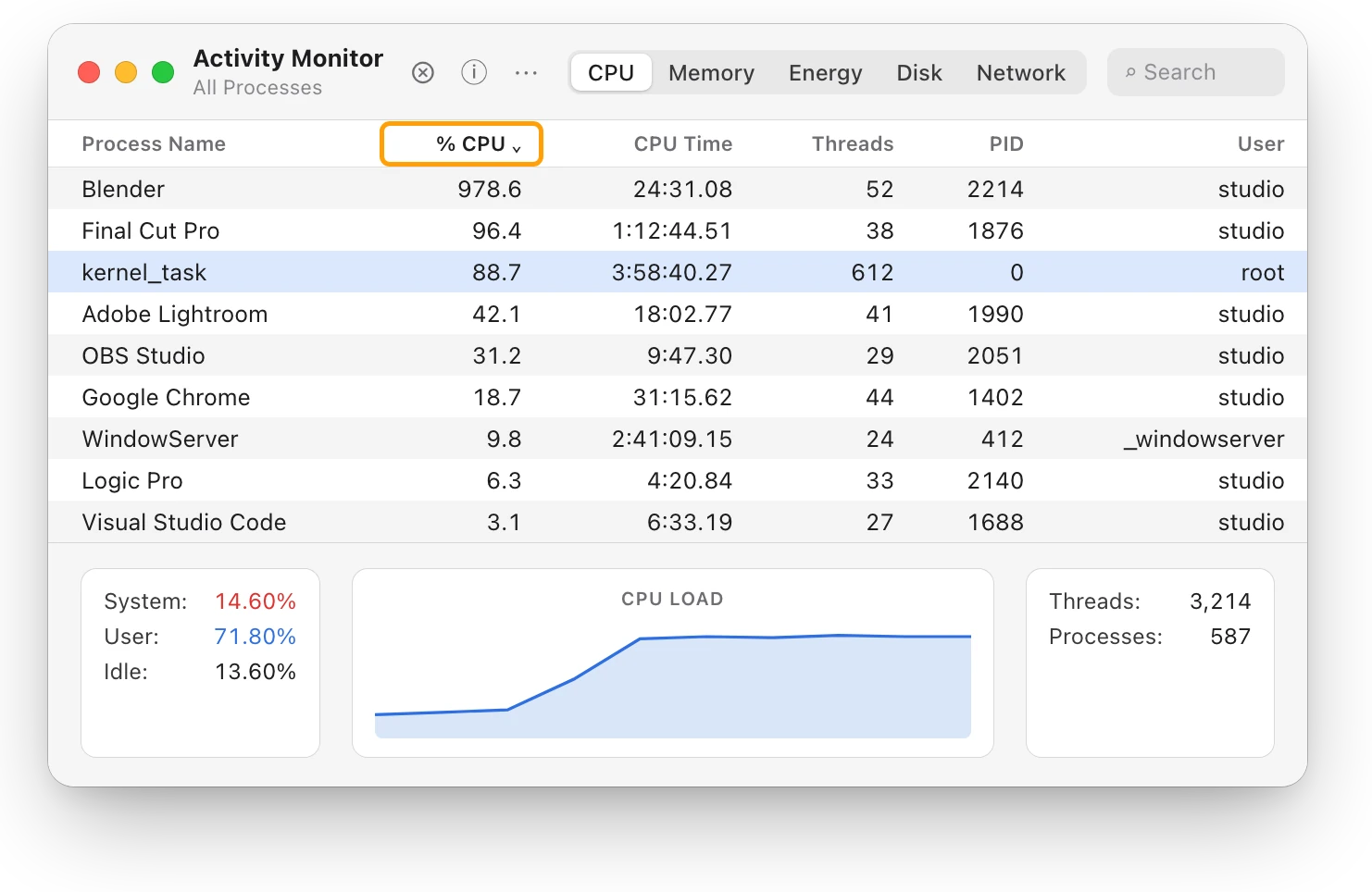
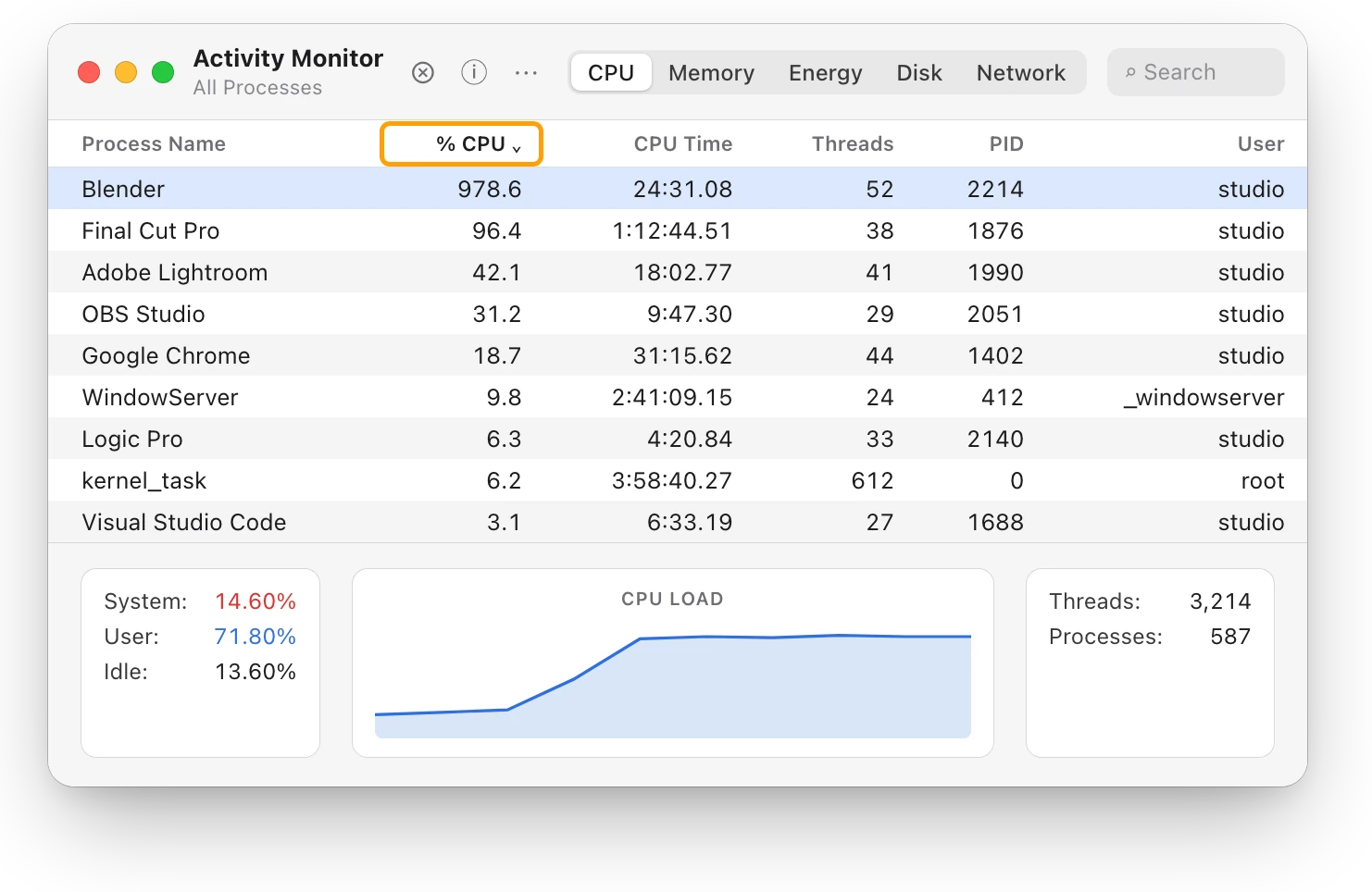
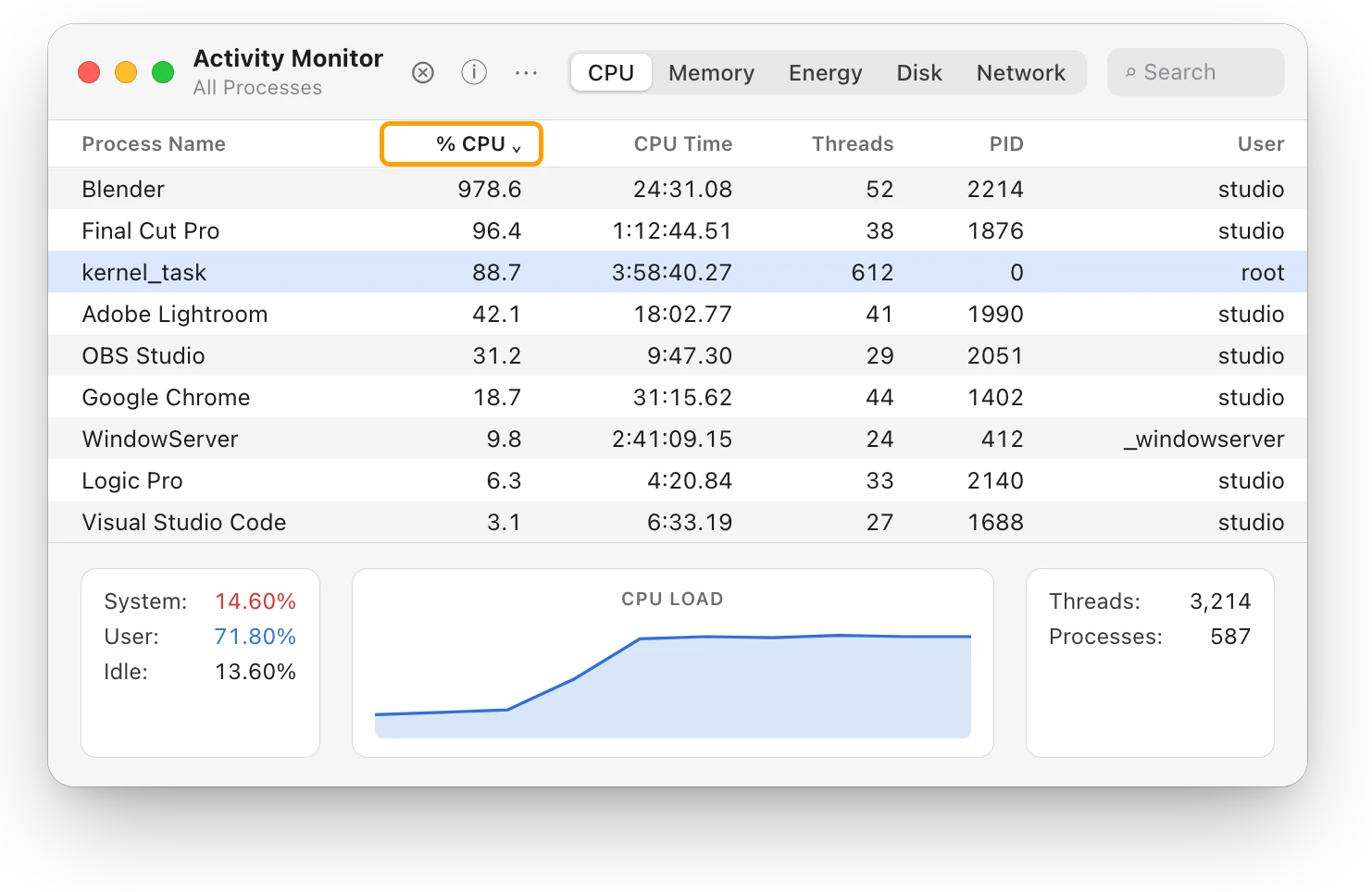
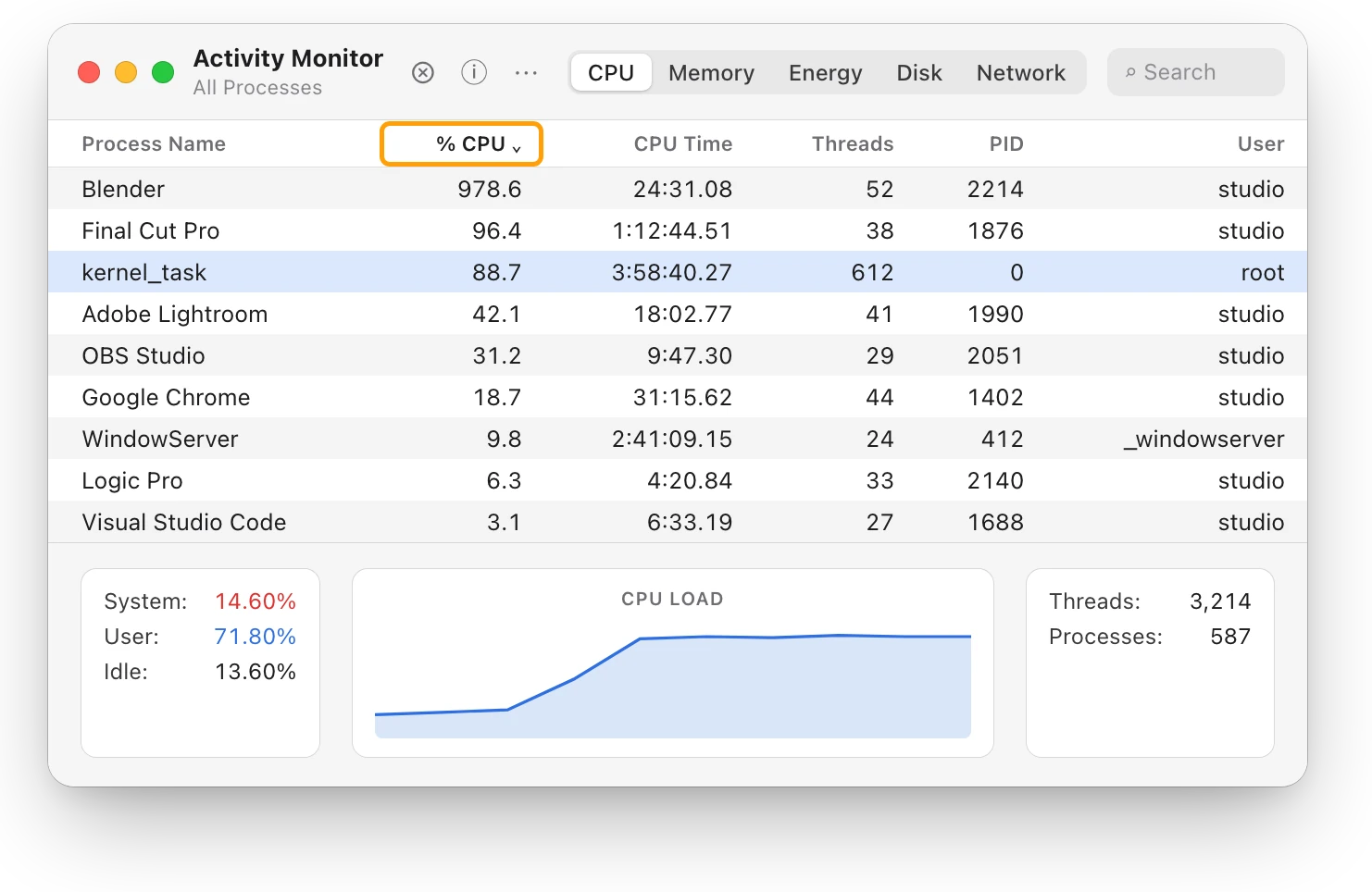
- Click CPU, then click the % CPU column heading to sort the list, busiest first.
- Watch the top of the list for a minute. The app that stays there while the fan is loud is doing the work.
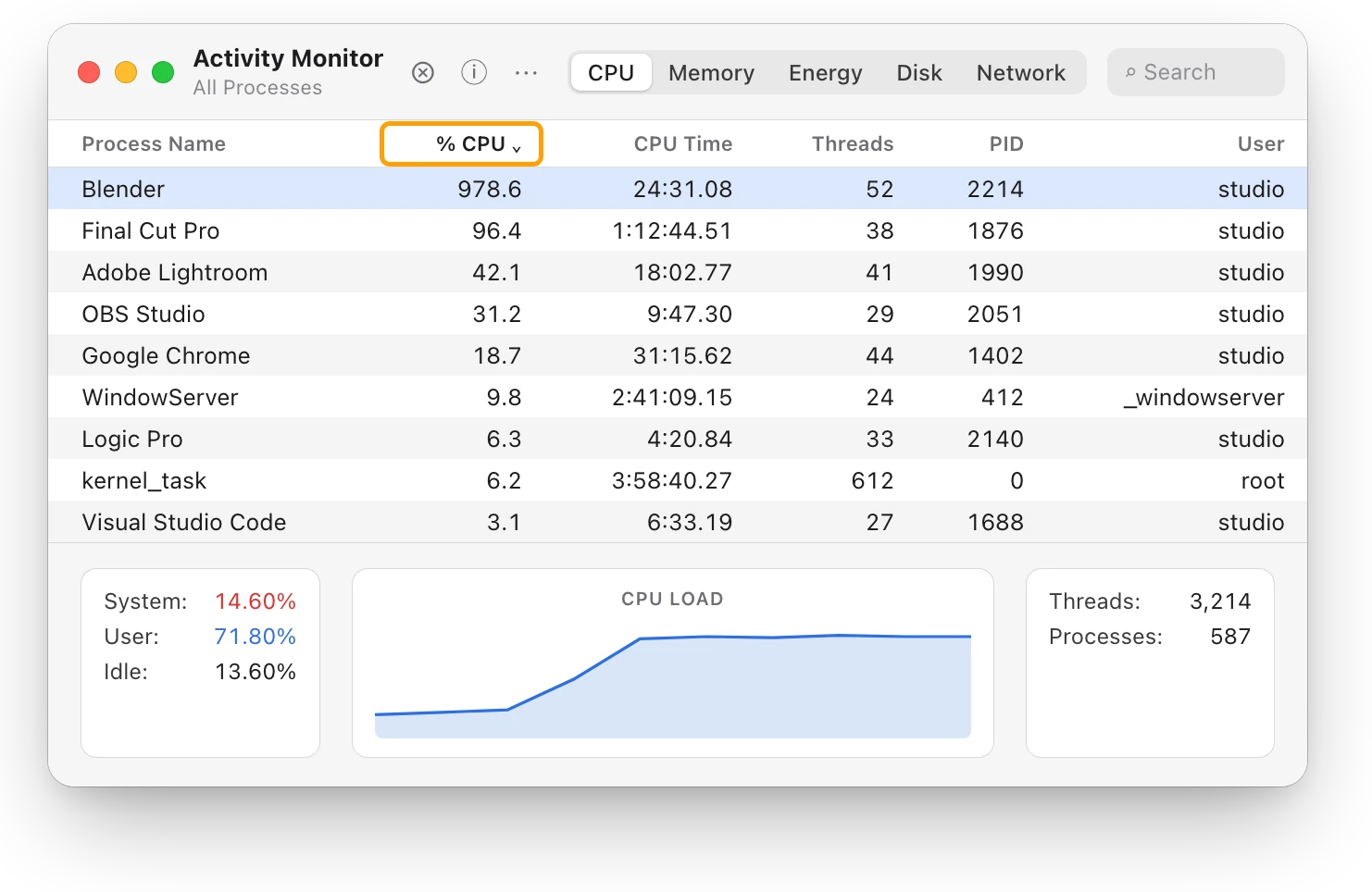
At the bottom of the window, User is the share of the processor your apps are using, System is macOS’s share, and Idle is what’s left. Here Idle is only 13.60%, so the processor is working hard.
If kernel_task is near the top, it isn’t the cause. It’s macOS keeping the processor from getting too hot. kernel_task high CPU? Your Mac is cooling itself explains it.
How do I make the fan quieter?
- Let the work finish, or quit the app. If the app is doing work you asked for, such as an export or a render, the fan slows down once it’s done. If you don’t need it now, quit it from its own menu, saving your work first.
- Use a hard, flat surface, such as a table or desk. Keep the vents clear, and don’t put anything over the keyboard.
- Move somewhere cooler if the room is warmer than 35 °C (95 °F), and don’t leave your Mac in a parked car.
- Keep macOS up to date. Apple lists installing macOS and software updates among its tips for keeping Mac laptops within their operating temperatures.
Why is my MacBook getting hot? covers the heat itself in more detail.
Why is my fan loud when I’m not doing anything?
First, check Activity Monitor’s CPU list for something working in the background, such as Spotlight indexing, a sync, or an app that opens at login. If nothing stands out and the fan still runs fast, follow Apple’s steps for your Mac:
- Find out which Mac you have. Choose Apple menu > About This Mac. “Chip” followed by an Apple chip’s name means a Mac with Apple silicon. “Processor” followed by an Intel processor’s name means an Intel-based Mac.
- On a Mac with Apple silicon, close the lid and open it again, or restart your Mac. These Macs have no separate SMC reset: Apple says the SMC (System Management Controller) resets automatically on them.
- On an Intel-based Mac, reset the SMC. On a Mac laptop with the Apple T2 Security Chip, shut down, hold Control, Option and the right Shift key for 7 seconds, then hold the power button too for another 7 seconds, release them all, wait a few seconds and turn your Mac on. Apple’s page has the steps for other Intel Macs.
If the fan stays loud after that, contact Apple or an Apple Authorized Service Provider.
Questions people also ask
Is a loud MacBook fan bad?
Usually not. The fans speed up to cool your Mac during demanding work or in a warm room, and Apple calls the sound a normal part of cooling. It’s worth a look when the fan runs fast for a long time during light work.
Does a MacBook Air have a fan?
Not with Apple silicon. Apple describes the MacBook Air with Apple silicon as a silent, fanless design.
Why is kernel_task high when my fan is loud?
Both respond to heat. The fans move air, and kernel_task makes the processor less available to the apps using it heavily until the processor cools. kernel_task doesn’t cause the heat.
Scope for Mac · Free, coming to the Mac App Store
How Scope helps
Scope is a free Mac menu bar app that shows the heat level macOS reports, Normal, Warm, High or Critical, beside the last minutes of CPU use and the app doing the work. It doesn’t show fan speeds or temperatures in degrees. When the fan is loud, it shows what macOS reports and what’s keeping your Mac busy, without opening Activity Monitor.
In your menu bar
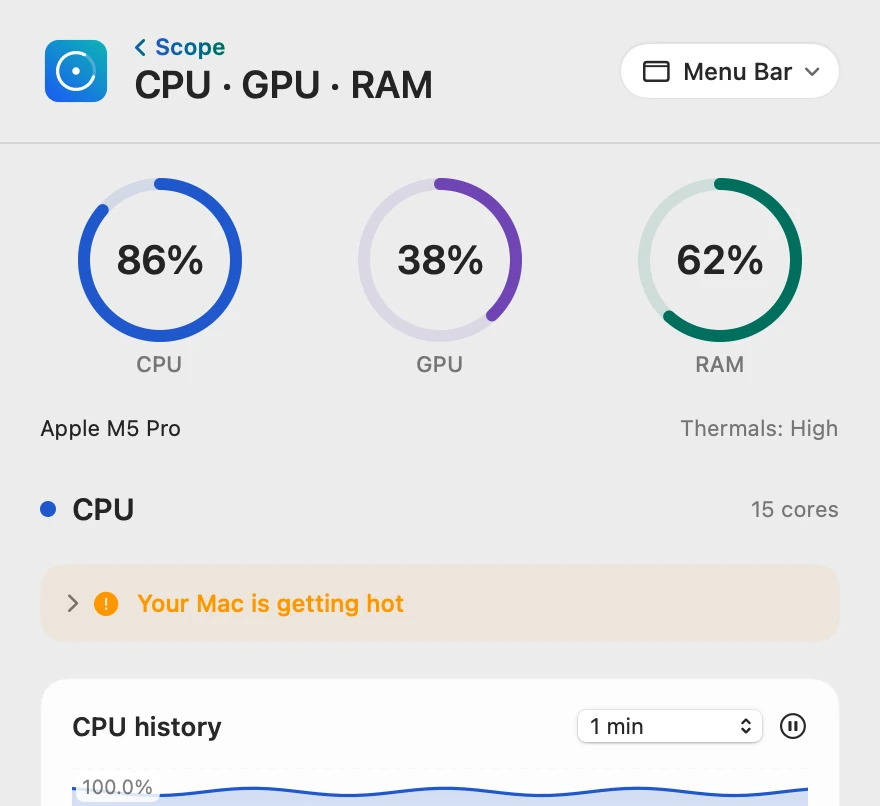
Scope Free keeps one whole menu bar item of your choice, so the processor’s load stays in view.

The heat level, beside the work
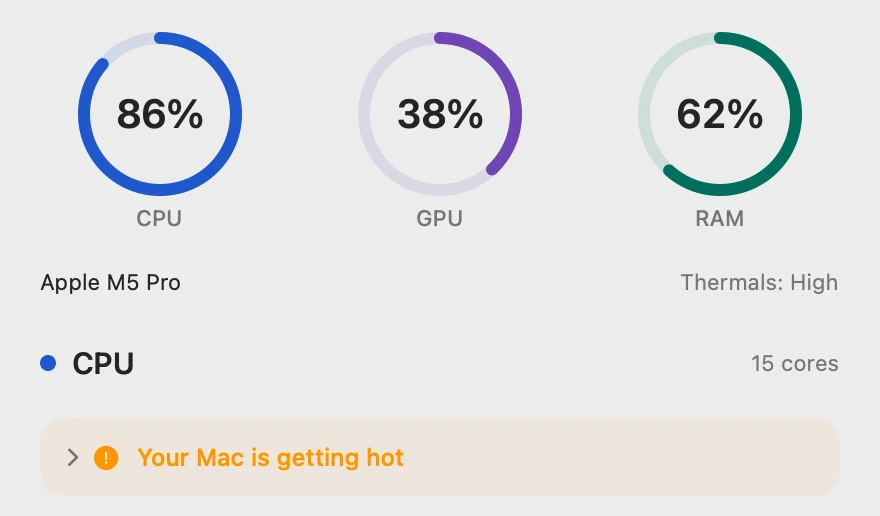
Thermals sits beside the chip’s name and shows macOS’s own heat level. When it reads High or Critical, Scope’s tip says your Mac is getting hot and to make sure air can flow around it.
How long it’s been busy
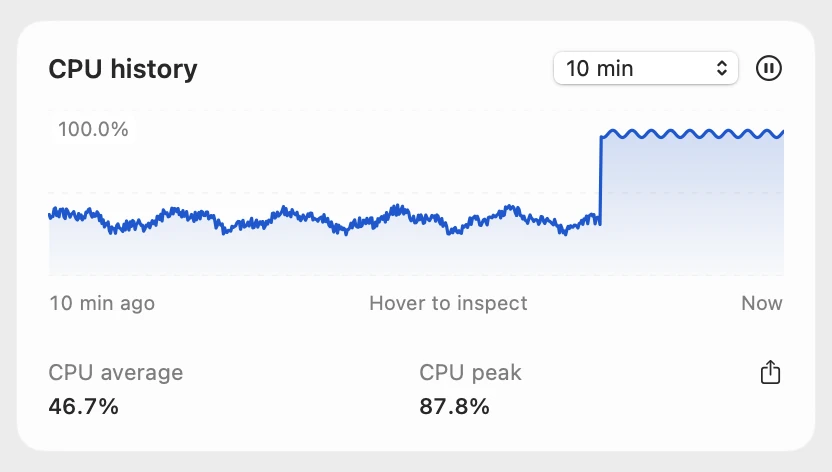
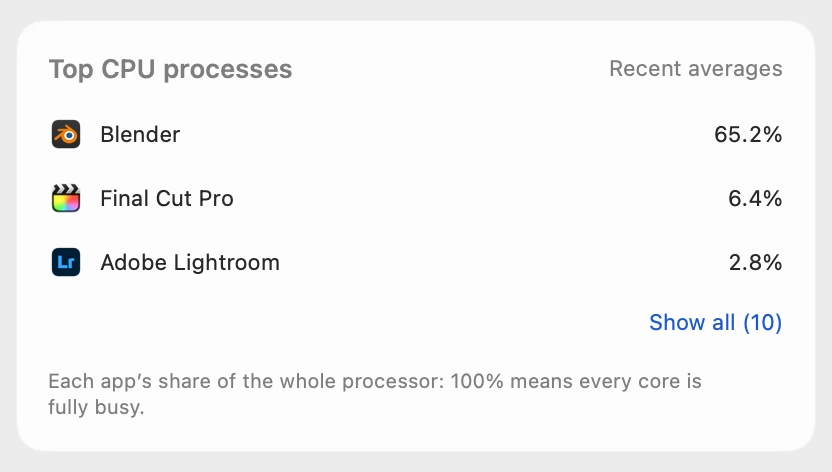
CPU history keeps the last 10 minutes, so you can tell a passing spike from minutes of work. Top CPU processes shows each app’s share of the whole processor: on this 15-core Mac, Blender’s 978.6% in Activity Monitor is 978.6 ÷ 15 = 65.2%.
Named when it lasts
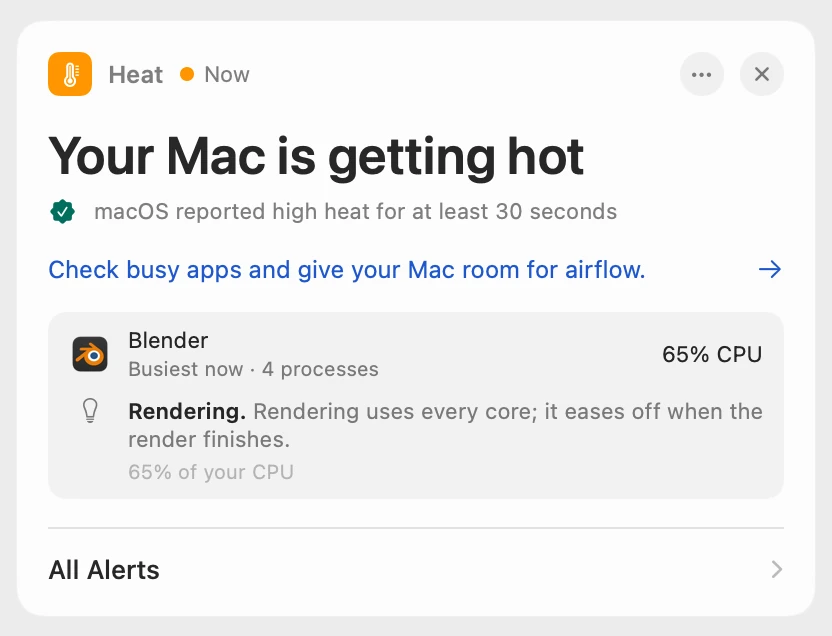
Scope waits until macOS has reported high heat for at least 30 seconds, so a passing spike never raises an alert. Scope Free shows the alert when you open Scope. Scope Pro adds a red + on its menu bar icon, names the busiest app with its helper processes, and adds a tip about what it’s doing.
Scope shows and explains. It doesn’t control the fan, quit apps or change how your Mac cools itself.
Try it here
The real Scope, working, right in this page.
Click any item in the menu bar, or a card inside, as you would on your Mac.
Scope Pro Every menu bar item is shown here. Scope Free keeps one whole item of your choice, with every reading inside.
See what’s spinning up your own Mac’s fan.
Keep reading
Guide · Heat
Mac overheating? Every cause and what to do
A Mac overheats when an app keeps the processor busy, the vents can’t move air or the room is too warm. Here’s how to find the cause and cool it down.
Heat
Why is my MacBook getting hot?
A MacBook gets hot when its processor works hard or its vents can’t move air. Here’s how to find the busy app and cool it down, with macOS’s tools.
Heat
kernel_task high CPU? Your Mac is cooling itself
High kernel_task CPU means your Mac is too hot: macOS holds the processor back while it cools. Find the app making the heat, and give your Mac air.
Heat
Mac thermal throttling: what the heat level means
Thermal throttling is macOS slowing a hot Mac so it can cool. Here’s what its four heat levels mean, how to check for it, and how to keep your Mac cooler.
Sources
- Apple Support: About fans and fan noise in your Apple product
- Apple Support: Keep your Mac laptop within acceptable operating temperatures
- Apple Support: Reset the SMC of your Mac
- Apple Support: Mac computers with Apple silicon
- Apple Support: If kernel_task is using a large percentage of your Mac CPU
- Apple Support: View CPU activity in Activity Monitor on Mac
- Apple Support: View information about Mac processes in Activity Monitor
- Apple: MacBook Air
Last checked October 18, 2026. Readings, apps and files in the pictures are from a made-up Mac.