kernel_task high CPU? Your Mac is cooling itself
On a Mac, kernel_task is part of macOS, and high kernel_task CPU in Activity Monitor means the processor has become too hot. Apple says kernel_task then makes the processor less available to the processes using it heavily, so the Mac can cool down, and its CPU use drops on its own once the processor cools. To help, find the app working hardest in Activity Monitor, quit it if you don’t need it, and give your Mac room for air.
What is kernel_task?
kernel_task is a process that belongs to macOS, not an app you opened. Apple says one of its jobs is to help manage the processor’s temperature. You’ll see it in Activity Monitor’s lists like any other process.
Why is kernel_task using so much CPU?
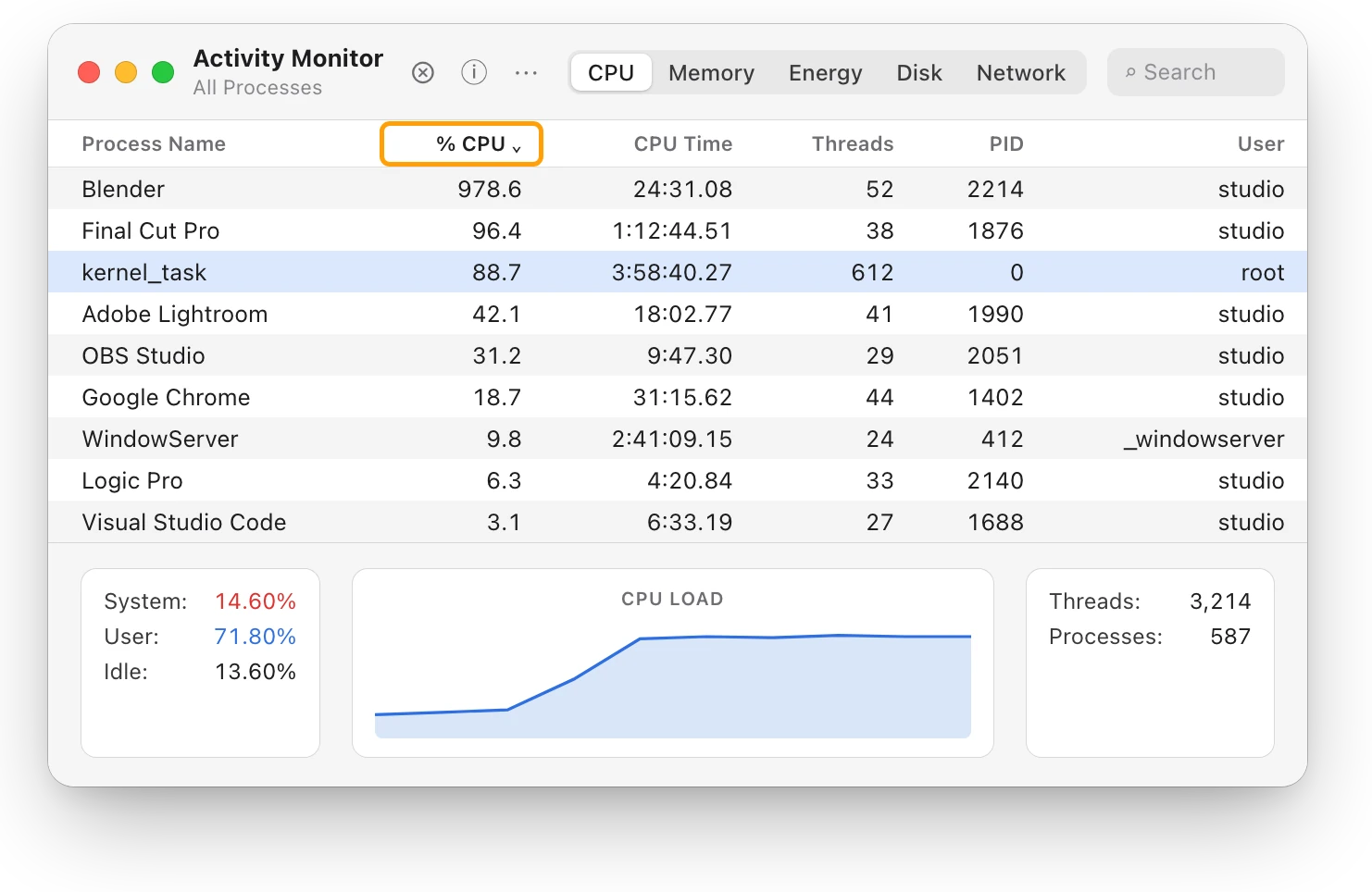
Because something has made the processor hot. When that happens, kernel_task makes the processor less available to the processes using it heavily. In Activity Monitor, that shows up as kernel_task using a large percentage of the CPU, often while the fans are loud.
kernel_task responds to the heat; it doesn’t cause it. Common reasons a Mac gets hot, from Apple’s guidance:
- Demanding work that lasts, such as compressing HD video, playing a graphics-heavy game, or Spotlight indexing after you move your data to a new Mac.
- A warm room. Apple recommends using a Mac laptop where it’s between 10 °C and 35 °C (50 °F and 95 °F).
- Blocked airflow, from a bed, couch, pillow or lap, or something covering the keyboard or the vents.
How do I find what’s making my Mac hot?
Look past kernel_task for the app doing the work.
- Open Activity Monitor. It’s in Applications > Utilities, or search for it with Spotlight.
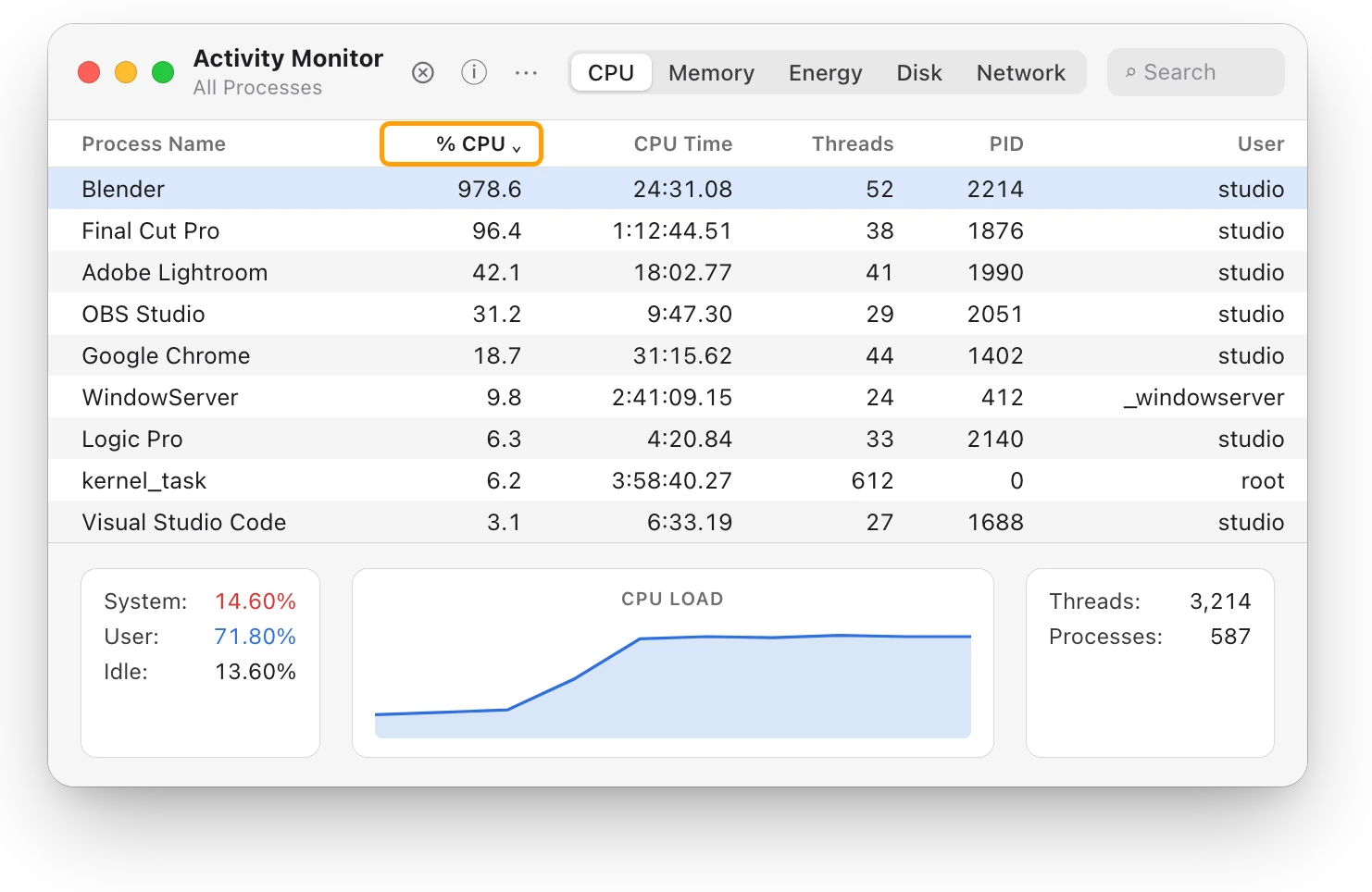
- Click CPU, then click the % CPU column heading to sort the list, busiest first.
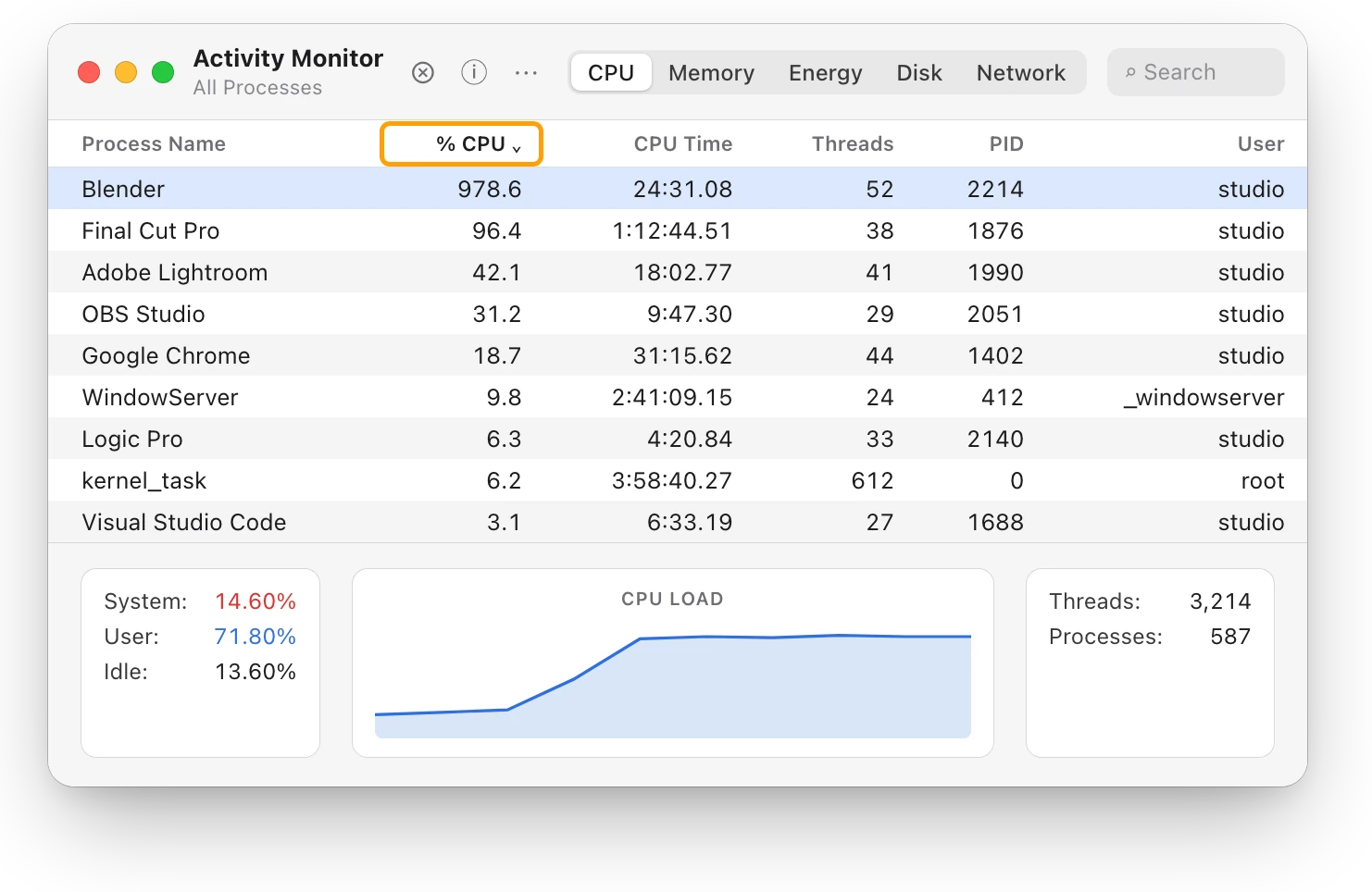
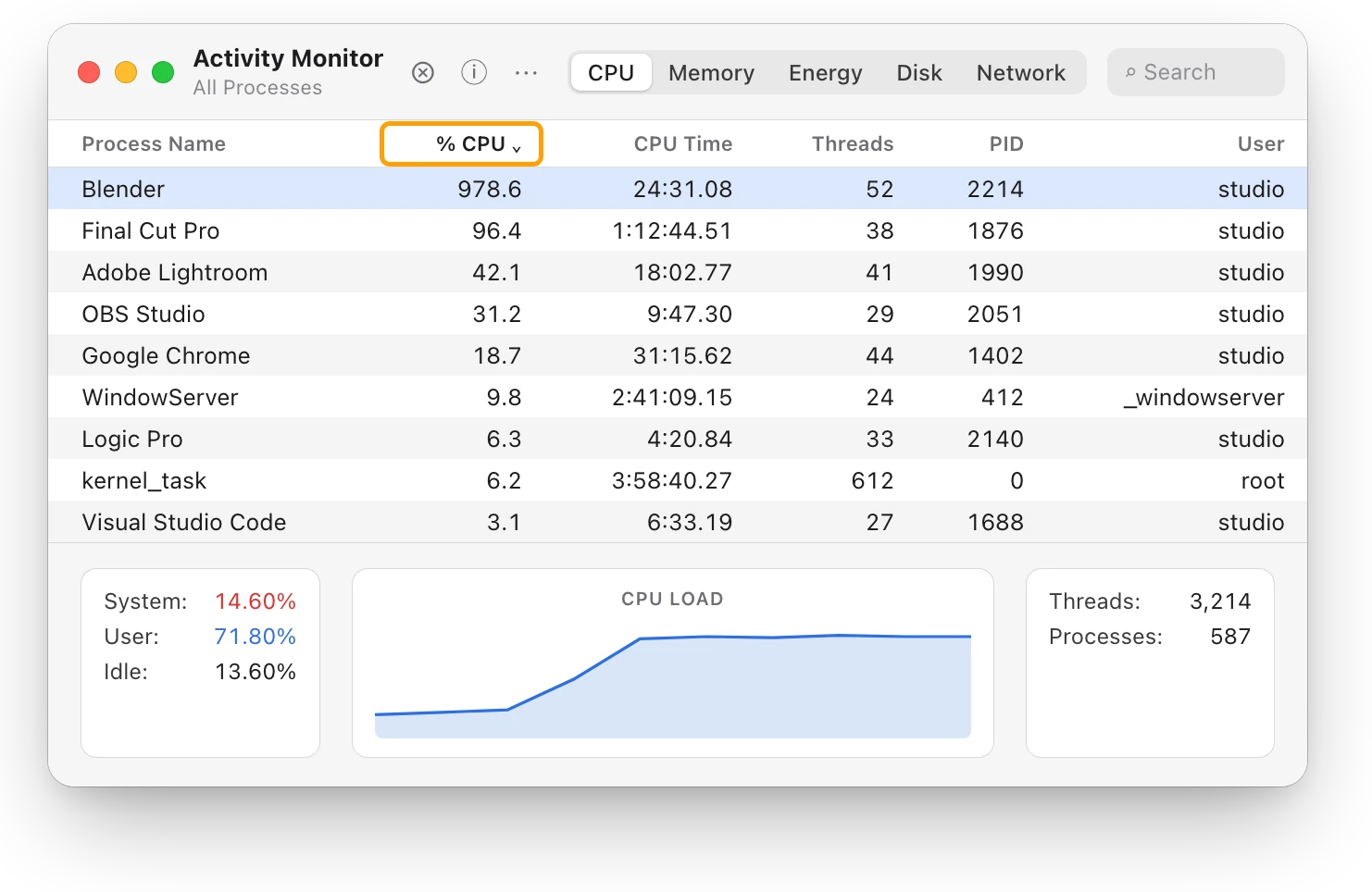
- Look at the apps around kernel_task. The app that stays near the top for minutes is the one making the heat.
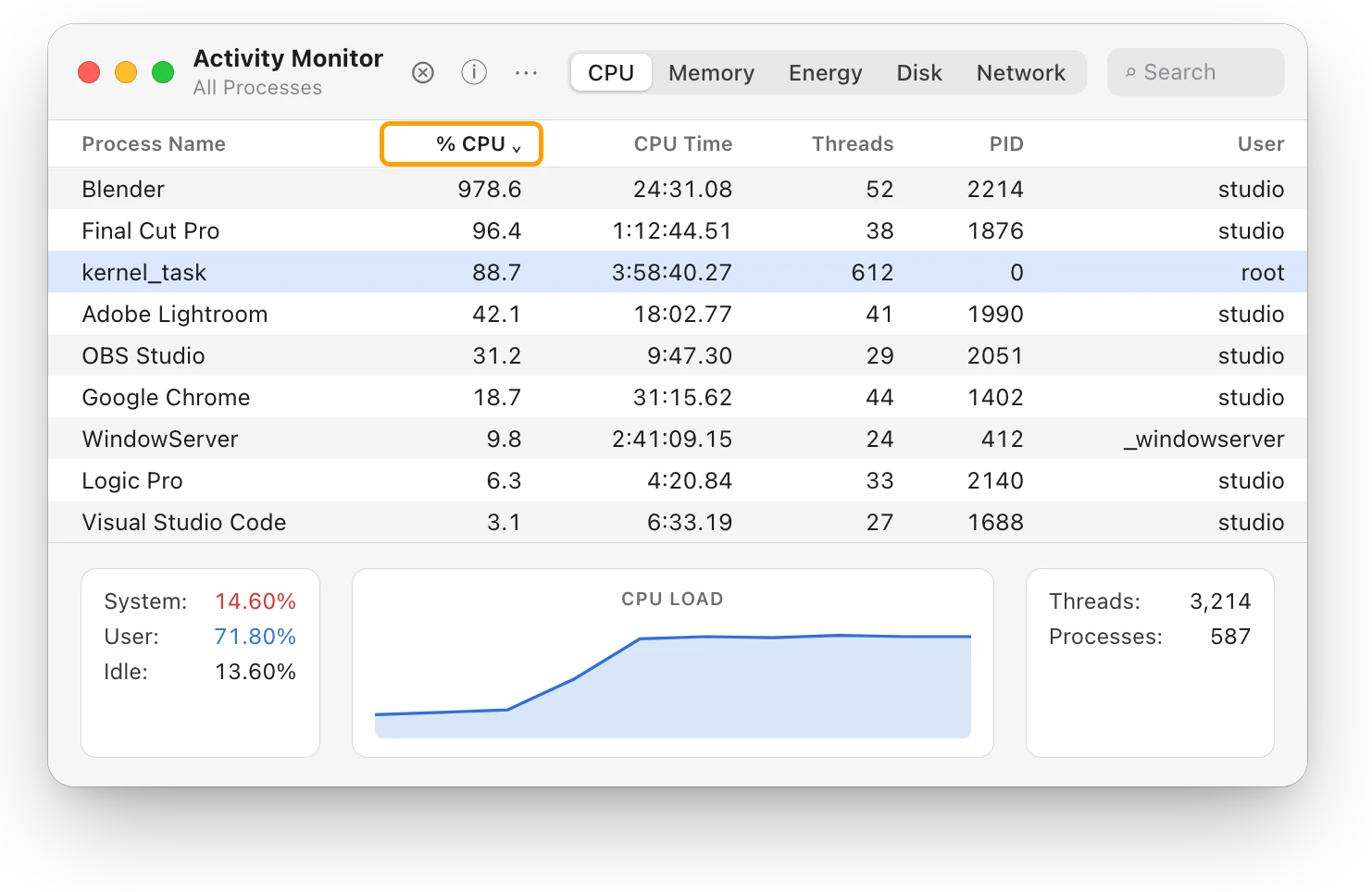
At the bottom of the window, System is the share of the processor used by processes that belong to macOS, and User is the share used by the apps you opened. Here User, 71.80%, is far larger than System, 14.60%: your apps are doing most of the work.
What should I do about it?
- Let the work finish, or quit the app. If the app is doing work you asked for, such as a render or an export, kernel_task eases off after it’s done and the processor cools. If you don’t need the app now, quit it from its own menu, saving your work first.
- If the app isn’t responding, select it in Activity Monitor, click the Stop button at the top of the window, then choose Quit. Choose Force Quit only if Quit doesn’t work, because unsaved work in that app is lost.
- Give your Mac air. Use it on a hard, flat surface, such as a table or desk, and keep the vents and keyboard uncovered.
- Leave kernel_task alone. It’s doing its job, and Apple says its activity goes down on its own as the processor cools.
What if kernel_task stays high with nothing running?
Check Activity Monitor’s CPU list again for something working in the background, such as Spotlight indexing, a sync or an app that opens at login. If your Mac still runs warm or its fans keep going during light work, Apple suggests closing the lid and opening it again, or restarting your Mac. On an Intel-based Mac, Apple also suggests resetting the SMC (System Management Controller); MacBook fan loud? What’s making it spin up has the steps. If it continues, contact Apple or an Apple Authorized Service Provider.
Questions people also ask
Is kernel_task a virus?
No. kernel_task is part of macOS, and Apple describes it as helping manage the processor’s temperature. High kernel_task CPU is a sign that the processor is hot.
Does kernel_task slow my Mac down?
It can, for a while and on purpose. It makes the processor less available to the processes using it heavily until the processor cools, so a busy app may run slower in the meantime.
Why are my fans loud when kernel_task is high?
Both respond to the same heat. The fans move air to cool your Mac, and kernel_task holds the processor back. Why is my MacBook getting hot? explains what to do about the heat.
Scope for Mac · Free, coming to the Mac App Store
How Scope helps
Scope is a free Mac menu bar app that shows the heat level macOS reports beside your Mac’s total CPU use and the apps using the most, so you can see when your Mac is running hot and which app is keeping it busy. Scope doesn’t list kernel_task or other macOS background processes. Its lists show the apps you run, the ones you can do something about.
In your menu bar

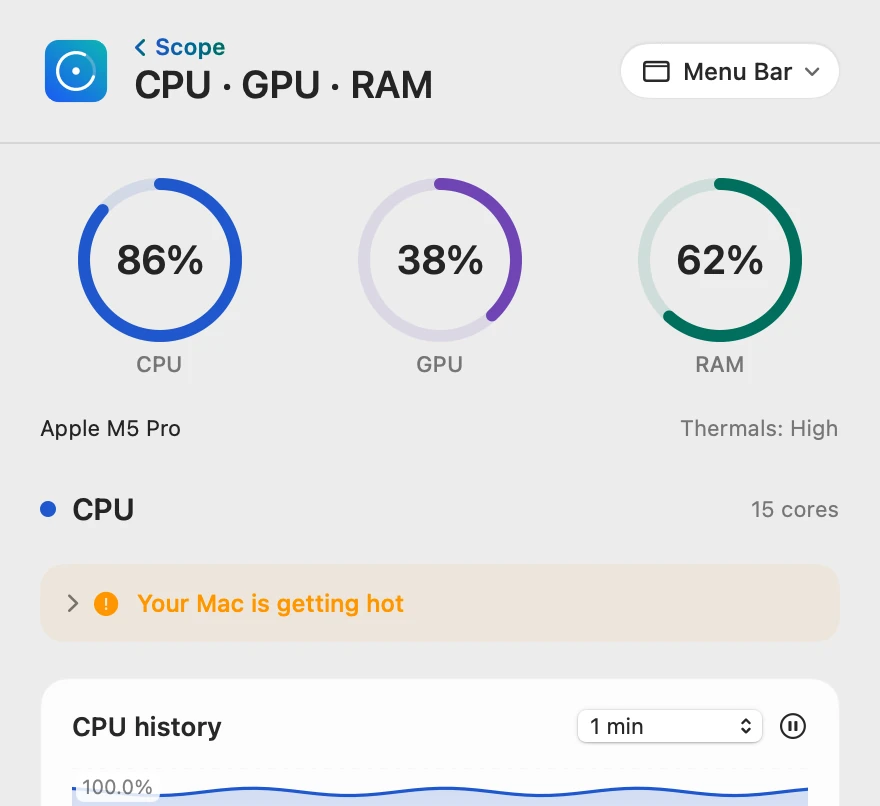
Heat level beside total CPU
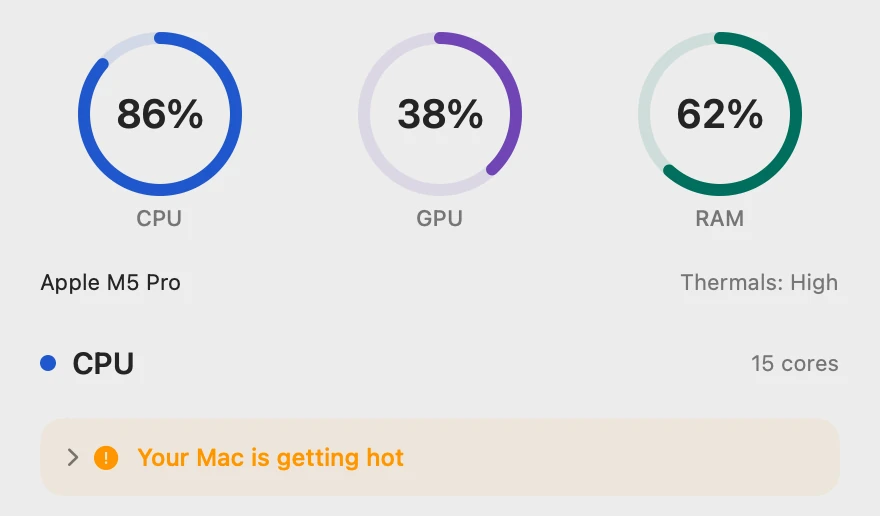
CPU 86% is the whole Mac’s processor use, the same as Activity Monitor’s System and User added together (14.60% + 71.80%). Thermals beside the chip’s name is macOS’s own heat level, the condition kernel_task responds to.
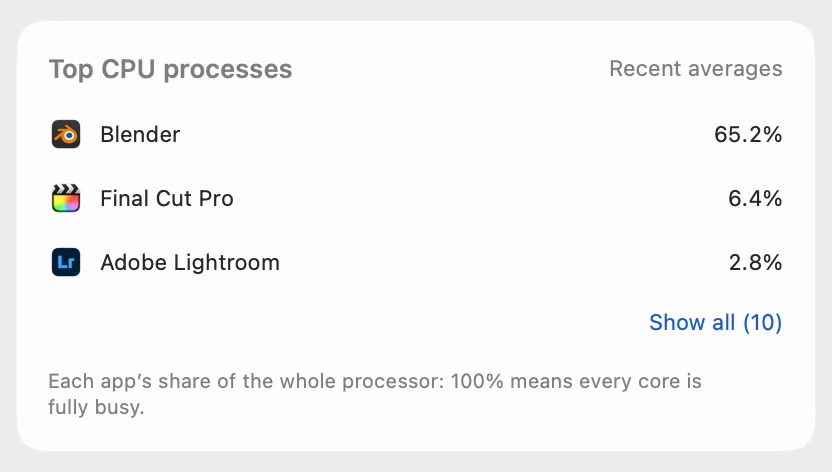
The app behind the heat
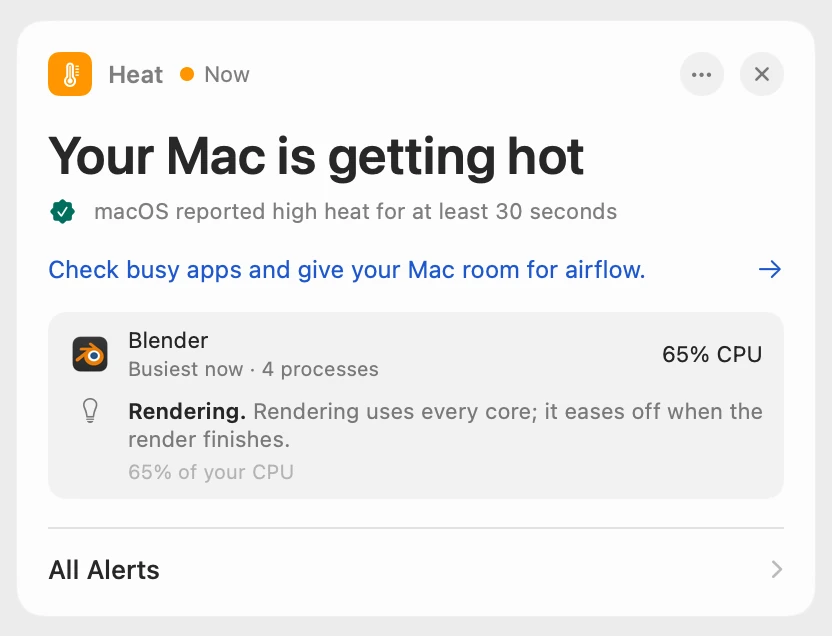
Scope shows each app’s share of the whole processor, so on this 15-core Mac, Blender’s 978.6% in Activity Monitor is 978.6 ÷ 15 = 65.2%. kernel_task isn’t in this list; Activity Monitor shows it and macOS’s other processes.
Named when it lasts
Scope waits until macOS has reported high heat for at least 30 seconds. Scope Free shows the alert when you open Scope. Scope Pro adds a red + on its menu bar icon and names the busiest app with its helper processes, with a tip about what it’s doing.
Scope shows and explains. It doesn’t quit apps or change how your Mac cools itself.
Try it here
The real Scope, working, right in this page.
Click any item in the menu bar, or a card inside, as you would on your Mac.
Scope Pro Every menu bar item is shown here. Scope Free keeps one whole item of your choice, with every reading inside.
See what’s heating up your own Mac.
Keep reading
Guide · Heat
Mac overheating? Every cause and what to do
A Mac overheats when an app keeps the processor busy, the vents can’t move air or the room is too warm. Here’s how to find the cause and cool it down.
Heat
Why is my MacBook getting hot?
A MacBook gets hot when its processor works hard or its vents can’t move air. Here’s how to find the busy app and cool it down, with macOS’s tools.
Heat
MacBook fan loud? What’s making it spin up
A MacBook fan gets loud when the Mac works hard for minutes, the room is warm or the vents are blocked. Find the busy app, then give your Mac air.
Slow Mac
Which app is slowing down my Mac? How to find it
Activity Monitor shows which app is slowing your Mac: sort by % CPU, then by Memory. Here’s how to read the lists, and what to do next.
Sources
- Apple Support: If kernel_task is using a large percentage of your Mac CPU
- Apple Support: About fans and fan noise in your Apple product
- Apple Support: Keep your Mac laptop within acceptable operating temperatures
- Apple Support: View CPU activity in Activity Monitor on Mac
- Apple Support: View information about Mac processes in Activity Monitor
- Apple Support: Quit a process in Activity Monitor on Mac
- Apple Support: Reset the SMC of your Mac
Last checked October 18, 2026. Readings, apps and files in the pictures are from a made-up Mac.